
Websites and apps
Software for Windows and Mac
Some work belongs on a desktop: front desks, tills, labs and back offices. We build signed Windows and Mac apps that install cleanly, work without internet and sync when they reconnect.
Overview
Programs for office computers that work offline and update themselves.
Some work cannot stop when the internet does: a front desk checking people in, a till taking payment, a back office printing labels. Browser software struggles in those settings, especially with printers, scanners and card readers. Desktop software installs on the computer itself, keeps working offline, and syncs with your central records when the connection comes back.
Before building, we survey the machines and hardware in use and decide what must be stored locally, how it syncs, and what happens if two people change the same record. The software is built for Windows and Mac from one codebase and tested with your actual printers and scanners. Installers are signed, so staff see no security warnings.
Signed installers, an update server and the source code are all handed over. New versions install themselves, so nobody has to visit each desk. Desktop versions of a healthcare platform's admin, doctor, hospital and pharmacy portals were built this way, sharing one database with the web and phone apps. A care plan keeps the software current as operating systems change.
- What you receive
- Signed installers · Update server · Source code
- Typical technology
- Tauri · Electron · Rust · TypeScript
Who it's for
Is this right for you?
If everything you need works in a browser and your internet is reliable, a web app is simpler to run.
- A front desk or till that must keep working when the internet drops
- An office relying on printers, scanners or card readers at each desk
- A business stuck with an old program that won't run on new computers
Scope
What goes into it
Every engagement is scoped to your goal. These are the parts most projects include.
- Windows and macOSOne codebase, signed installers for both.
- Offline firstLocal storage with background sync.
- HardwareReceipt printers, label printers, scanners and readers.
- Auto-updateNew versions install themselves.
- Shared back endThe same data as your web portal and mobile app.
Timeline
How a typical project runs
Usual length: usually 8 to 16 weeks. Your written scope gives the exact plan.
01Weeks 1–2
Machines and hardware survey
We list the computers, printers, scanners and readers in use, and what must work offline.
02Weeks 2–4
Local data and sync design
We decide what is stored on each computer, how it syncs, and what happens if two people edit one record.
03Weeks 4–13
Build and test on your devices
We build for Windows and Mac and test with your actual printers and scanners, not just on screen.
04Weeks 13–16
Signed installers and auto-update
We sign the installers, set up automatic updates and install on your machines with your team.
One-time project
A fixed quote for an agreed scope, paid in milestones. You own the code and accounts once it's paid.
Monthly care plan
A monthly subscription that keeps your software secure, monitored and improving, with response times in writing.
Industries we have built this for
Getting started
What happens after you get in touch
- 01Tell us the problemA short form or a call. A senior lead replies within one working day.
- 02One callWe sign an NDA first if you need one, then go through your goals, users and current systems.
- 03Written scope and fixed quoteWithin 48 hours of the call, with milestones and a timeline.
- 04Build in milestonesYou see working software at every milestone, and you own what we build.
Questions
Before you ask
What changes the size of the job
- The number and type of hardware devices to support
- How much must work offline and sync later
- Whether it shares data with an existing web system
Can it share data with our web system?
Yes. Desktop, web and mobile can all use one database and API.
Why do the installers need to be signed?
Signing tells Windows and Mac that the program comes from a known publisher, so staff don't see security warnings when installing or updating it.
Can you replace our old desktop program without losing data?
Yes. We export the data from the old program, check it in the new one, and keep the old version available until you're happy.
How is this priced?
As a one-time project with a fixed quote, agreed after a short call and paid in milestones. After launch you can add a monthly care plan for hosting, updates and support.
Previous work
Projects where we did this
Digital healthcare company
Admin portal for running a healthcare platform
We built a control centre where staff approve providers, set prices and follow live orders.We built the control centre where staff approve doctors, hospitals, pharmacies and riders, set prices and dispatch rules, and follow live orders.
See what we built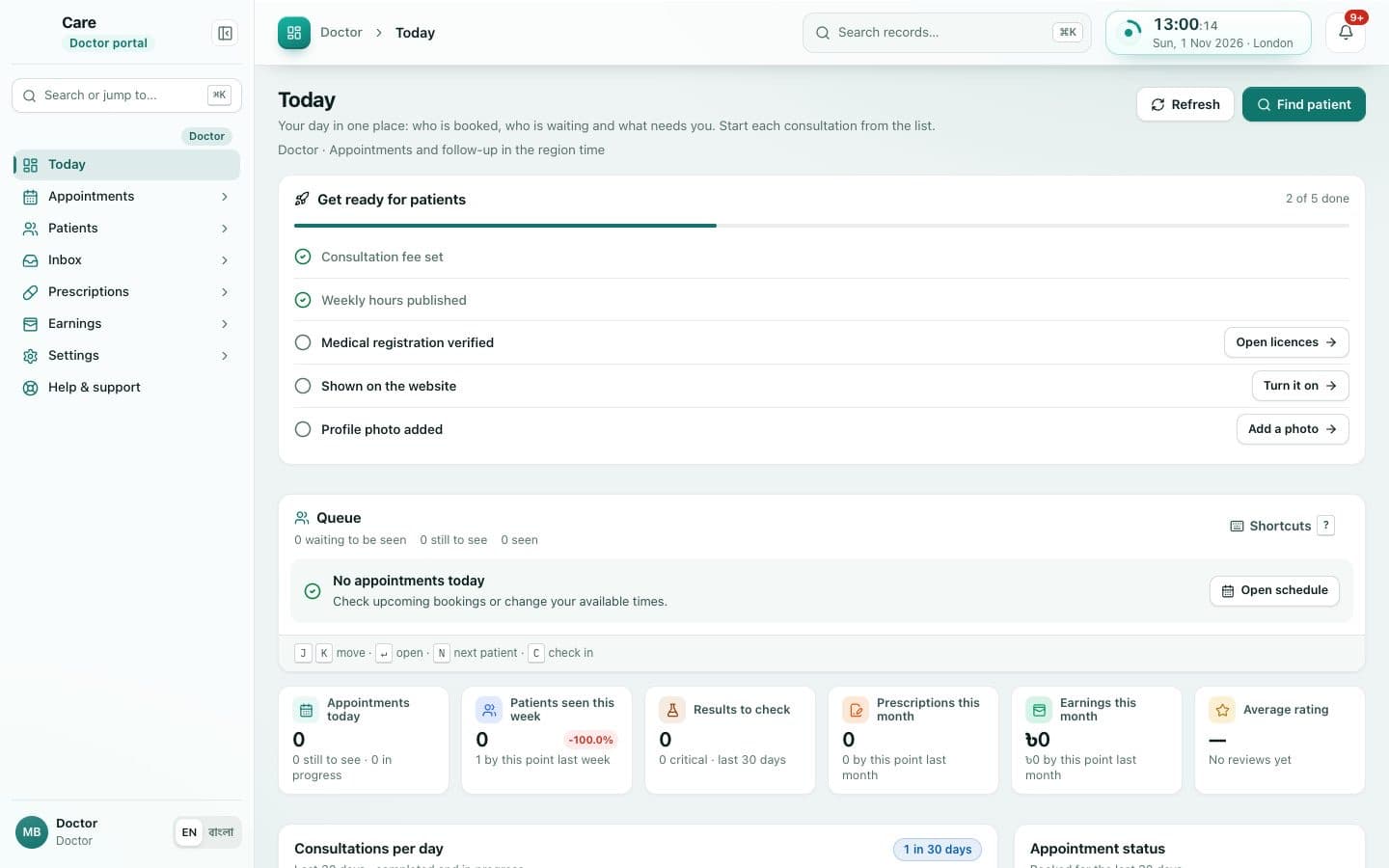 Client details hidden
Digital healthcare company
Doctor portal for managing patients and prescriptions
We built a portal where doctors see their patients and send prescriptions to the patient's app.We built the portal where doctors set their hours, see the day's patients, open shared records and send prescriptions to the patient's app.
See what we built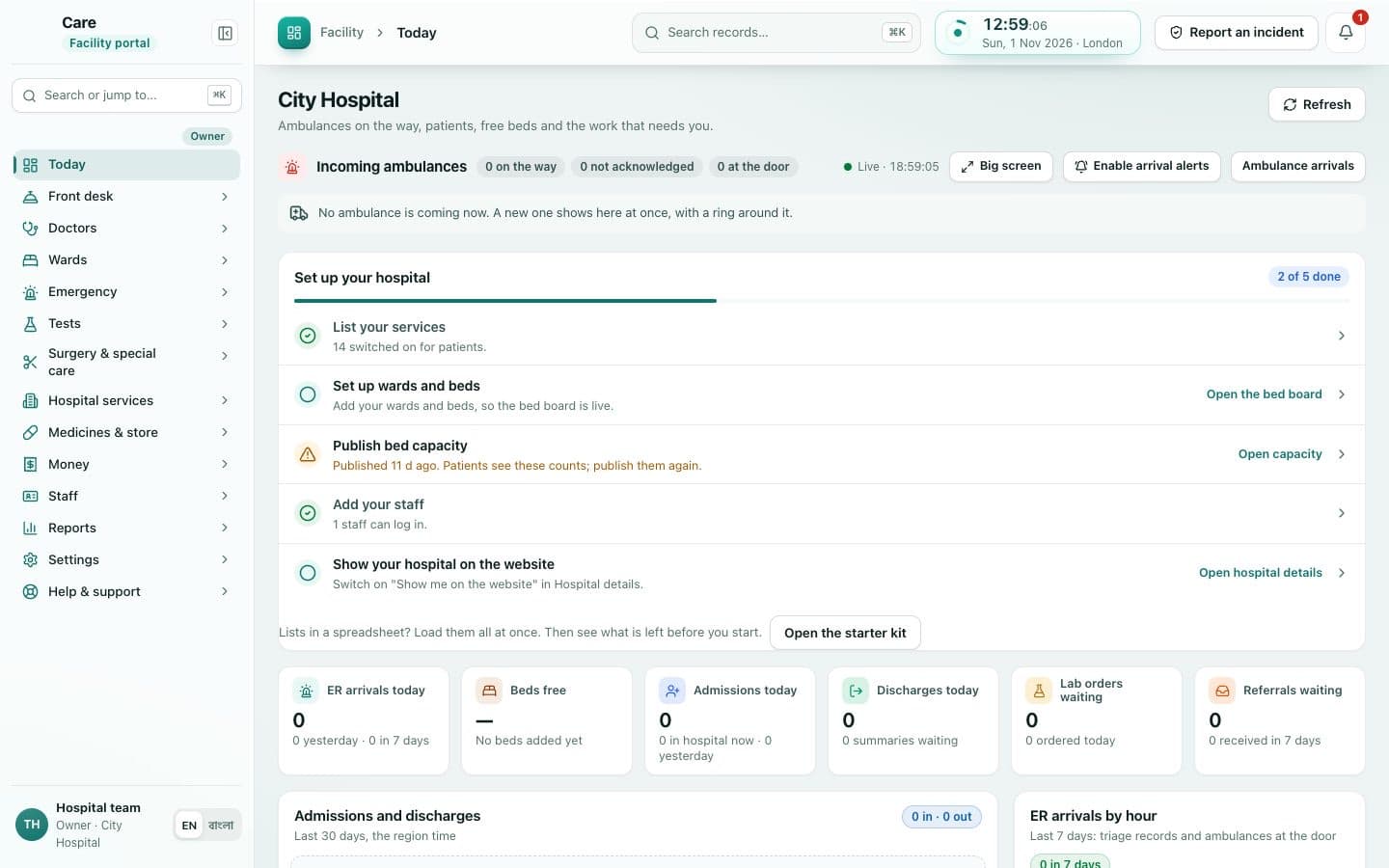 Client details hidden
Digital healthcare company
Hospital portal for managing admissions and ambulances
We built a portal where hospitals receive admission requests and follow incoming ambulances.We built the portal where partner hospitals receive admission requests, manage their doctors and team, and follow incoming ambulances.
See what we built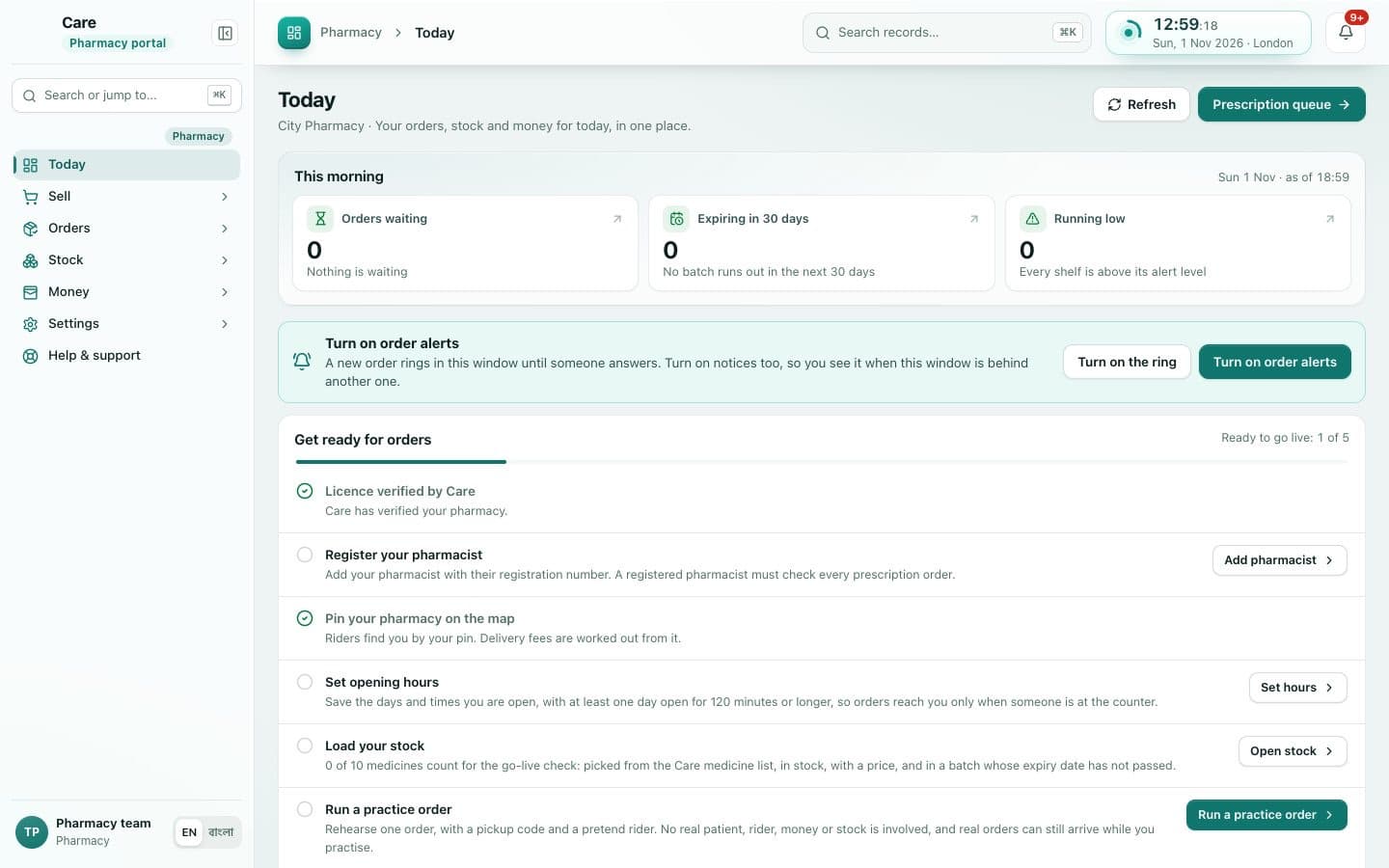 Client details hidden
Digital healthcare company
Pharmacy portal for managing medicine orders
We built a portal where pharmacies receive orders with prescriptions and hand them to a rider.We built the portal where pharmacies receive orders with the prescription attached, confirm the items and hand them to a rider.
See what we builtTell us what you need built.
Share the problem in a few lines. After one call you'll get a written scope and a fixed quote within 48 hours.