
Websites and apps
Apps that open in the browser
A progressive web app installs from a link, works on any phone, and needs no app store. It's the fastest way to give field staff or customers an app on their home screen.
Overview
Apps people can add to their phone straight from a website, no app store needed.
Not every app needs an app store. A progressive web app opens from a link, can be added to the home screen, and runs on whatever phones and laptops your staff or customers already own. It suits teams that need something quickly, work across mixed devices, or often find themselves with weak signal.
Planning focuses on what people must do away from a desk, and which of those tasks must keep working with no connection. We build the app with its own icon and full-screen view, design for small screens first, and make sure work saved offline syncs safely when signal returns. Testing happens on your staff's own phones before anyone else sees it.
Delivery covers an installable app, an admin panel and the source code, with updates reaching every device automatically the next time it opens. A wedding venue runs its bookings this way, and a private client tracks money across several businesses from a phone. If a store listing becomes important later, the same work can be carried into a store app.
- What you receive
- Installable web app · Admin panel · Source code
- Typical technology
- React · Next.js · Service workers
Who it's for
Is this right for you?
If you need deep phone features like Bluetooth devices or background location, a store app is the better choice.
- A business that needs an app on staff phones quickly, without store approval
- Field teams using a mix of phones, tablets and laptops
- Customers or staff who often work with weak or no signal
Scope
What goes into it
Every engagement is scoped to your goal. These are the parts most projects include.
- InstallableHome-screen icon, full-screen view and splash screen.
- Offline modeKeep working without signal, sync later.
- Push notificationsOn Android, desktop and recent iPhones.
- One codebaseThe same app on web, phone and tablet.
Timeline
How a typical project runs
Usual length: usually 4 to 10 weeks. Your written scope gives the exact plan.
01Weeks 1–2
Tasks and offline needs
We list what people must do away from a desk, and which of those tasks must work with no signal.
02Weeks 2–7
Home-screen app build
We build the app with its icon, full-screen view and screens shaped for small phones.
03Weeks 5–8
Offline sync and alerts
Work saved without signal syncs when it returns, and push alerts are set up where phones allow.
04Weeks 8–10
Install link and roll-out
We test on your staff's own phones, then share one link with simple steps to add it to the home screen.
One-time project
A fixed quote for an agreed scope, paid in milestones. You own the code and accounts once it's paid.
Monthly care plan
A monthly subscription that keeps your software secure, monitored and improving, with response times in writing.
Industries we have built this for
Getting started
What happens after you get in touch
- 01Tell us the problemA short form or a call. A senior lead replies within one working day.
- 02One callWe sign an NDA first if you need one, then go through your goals, users and current systems.
- 03Written scope and fixed quoteWithin 48 hours of the call, with milestones and a timeline.
- 04Build in milestonesYou see working software at every milestone, and you own what we build.
Questions
Before you ask
What changes the size of the job
- How much of the app has to work with no signal
- How many screens and user types there are
- Whether it connects to an existing system or needs its own back end
Can a web app later become a store app?
Yes. We can wrap it or move it to React Native when you need store presence.
How do updates reach people's phones?
Automatically. The next time someone opens the app with a connection, it loads the latest version, with nothing to download from a store.
Does it work on iPhones?
Yes. iPhones can add it to the home screen from Safari, and recent iPhones support push alerts too, though a few features are more limited than on Android.
How is this priced?
As a one-time project with a fixed quote, agreed after a short call and paid in milestones. After launch you can add a monthly care plan for hosting, updates and support.
Previous work
Projects where we did this
 Client details hidden
Our own product
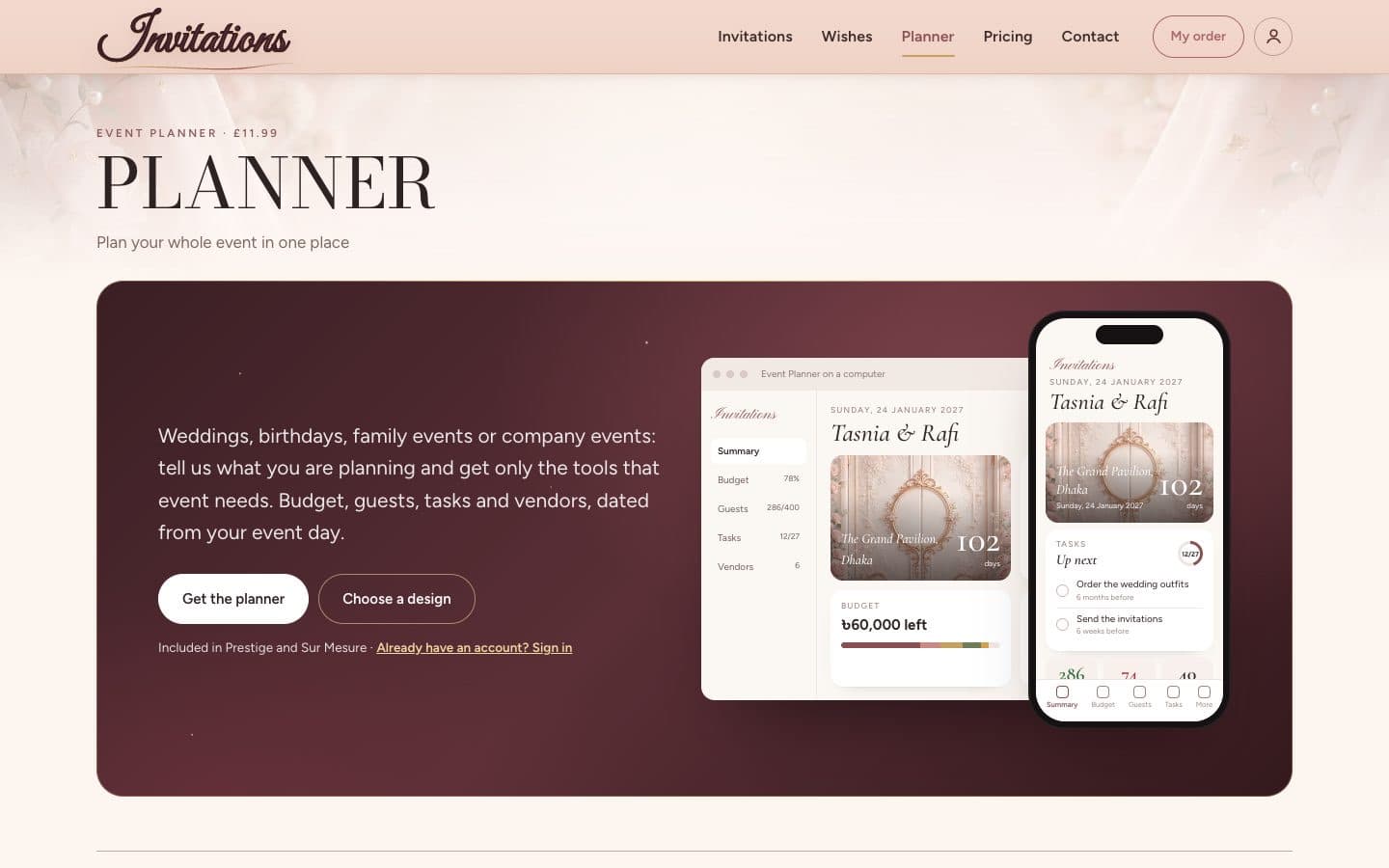
Event planning app with guest replies and budgets
We built a planner for guests, budgets and vendor payments, with replies added automatically.We built the planner where hosts manage their guest list, checklist, budget and vendor payments, with guest replies added automatically.
See what we built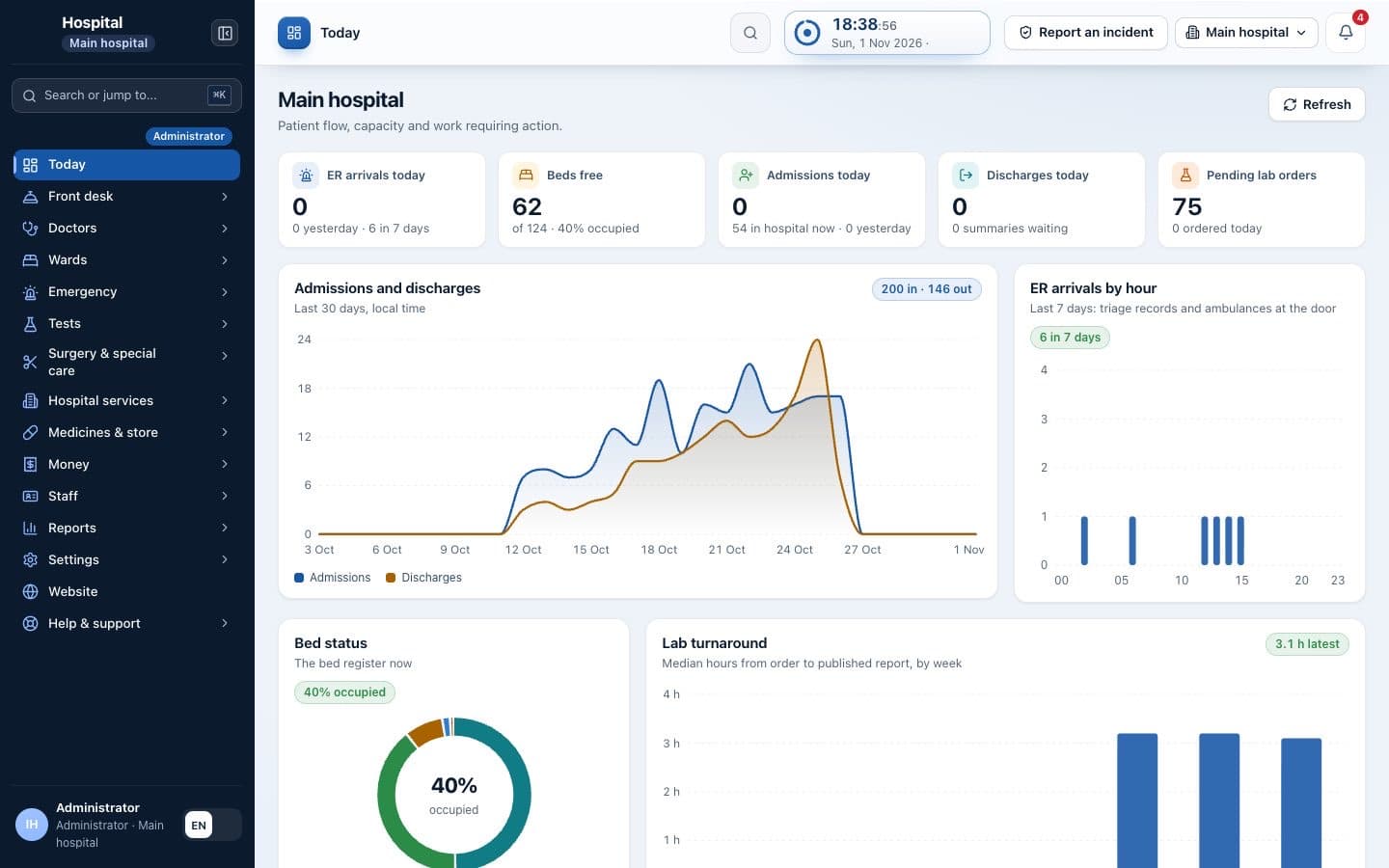 Client details hidden
Multi-specialty hospital
Hospital management system with website and patient portal
We built a hospital website, a patient portal and a staff system from front desk to billing.We built a public website, a patient portal for reports and a staff system for the front desk, wards, laboratory, pharmacy and billing.
See what we built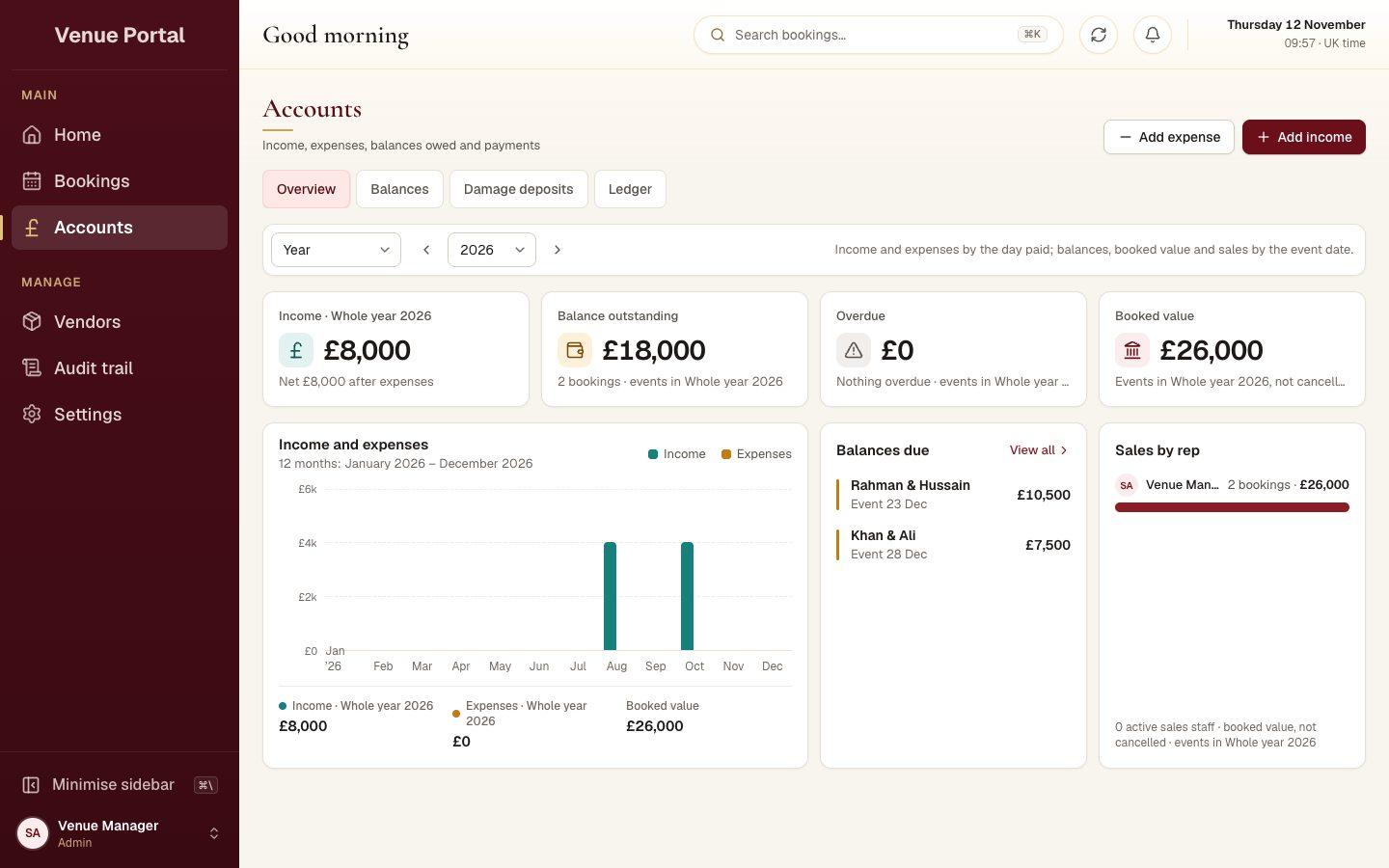 Client details hidden
Wedding and banqueting venue, UK
Booking portal for running a wedding venue
We built a portal where the venue runs enquiries, viewings, bookings and payments in one place.We built the portal where the venue manages enquiries, viewings, bookings, payments and booking agreements, on a computer or a phone.
See what we builtPrivate client, Europe
Finance app for tracking money across several businesses
We built an app that tracks money in several currencies and produces monthly reports.We built the installable app that records money sent and spent in several currencies, carries balances forward and produces monthly reports.
See what we builtTell us what you need built.
Share the problem in a few lines. After one call you'll get a written scope and a fixed quote within 48 hours.