
AI and automation
Automating everyday tasks
We find the repetitive tasks in your week and automate them: reading invoices and forms, sending reminders, producing reports and moving data between systems.
Overview
Stop copying and pasting between emails, forms and spreadsheets.
In most businesses, part of each week goes on work a computer could do: re-typing details from one system to another, chasing renewals, building the same report by hand. These tasks are dull, and they are where mistakes creep in. Automation moves that work into software, so staff spend their time on judgement rather than copying and pasting.
It starts with sitting beside the people doing the work and ranking repetitive tasks by the hours they take and the errors they cause. The simplest valuable task is automated first, using tools you already pay for where possible. Invoices and forms can then be read into your systems and approvals routed to the right person, with each step logged.
Each automation comes with run logs, an alert if it fails, and written notes so others can follow it. When something stops, the task can be finished by hand while it is fixed. Reminders, approvals and document handling have been automated this way for a business services company and a healthcare platform. Further batches of tasks can follow whenever you are ready.
- What you receive
- Automations · Run logs · Documentation
- Typical technology
- Node.js · Python · Make · Zapier
Who it's for
Is this right for you?
If a task only happens a few times a year, a short written checklist is often better value than automating it.
- Staff typing the same details into several systems each day
- A team missing renewals and reminders that software should catch
- A manager rebuilding the same report by hand every month
Scope
What goes into it
Every engagement is scoped to your goal. These are the parts most projects include.
- Document processingRead invoices, IDs, forms and PDFs into your systems.
- RemindersExpiry dates, renewals and promised payments.
- Scheduled reportsDelivered by email or to a dashboard.
- ApprovalsRouted to the right person, with an audit trail.
Timeline
How a typical project runs
Usual length: usually 2 to 8 weeks for each batch of tasks. Your written scope gives the exact plan.
01Week 1
Task audit with your team
We sit with the people doing the work and rank repetitive tasks by hours lost and errors caused.
02Weeks 1–3
Quick wins first
We automate the simplest high-value task first, using tools you already pay for where possible.
03Weeks 3–6
Document reading and routing
Invoices and forms are read into your systems, and approvals are sent to the right person.
04Weeks 6–8
Run logs and written notes
Each automation logs what it did, alerts you if it fails, and is written up so others can follow it.
One-time project
A fixed quote for an agreed scope, paid in milestones. You own the code and accounts once it's paid.
Monthly care plan
A monthly subscription that keeps your software secure, monitored and improving, with response times in writing.
Getting started
What happens after you get in touch
- 01Tell us the problemA short form or a call. A senior lead replies within one working day.
- 02One callWe sign an NDA first if you need one, then go through your goals, users and current systems.
- 03Written scope and fixed quoteWithin 48 hours of the call, with milestones and a timeline.
- 04Build in milestonesYou see working software at every milestone, and you own what we build.
Questions
Before you ask
What changes the size of the job
- How many tasks and systems are involved
- Whether your current tools can do it or custom code is needed
- How varied the documents are that need reading
Can you automate with the tools we already pay for?
Usually. We start with your current tools and only build custom where they fall short.
What happens if an automation fails?
It stops, records what went wrong and alerts the person you choose, so the task can be finished by hand while we fix it.
Do our staff need technical skills to use them?
No. Most automations run in the background. Where a person is involved, it's a familiar step, such as approving from an email or filling in a simple form.
How is this priced?
As a one-time project with a fixed quote, agreed after a short call and paid in milestones. After launch you can add a monthly care plan for hosting, updates and support.
Previous work
Projects where we did this
 Client details hidden
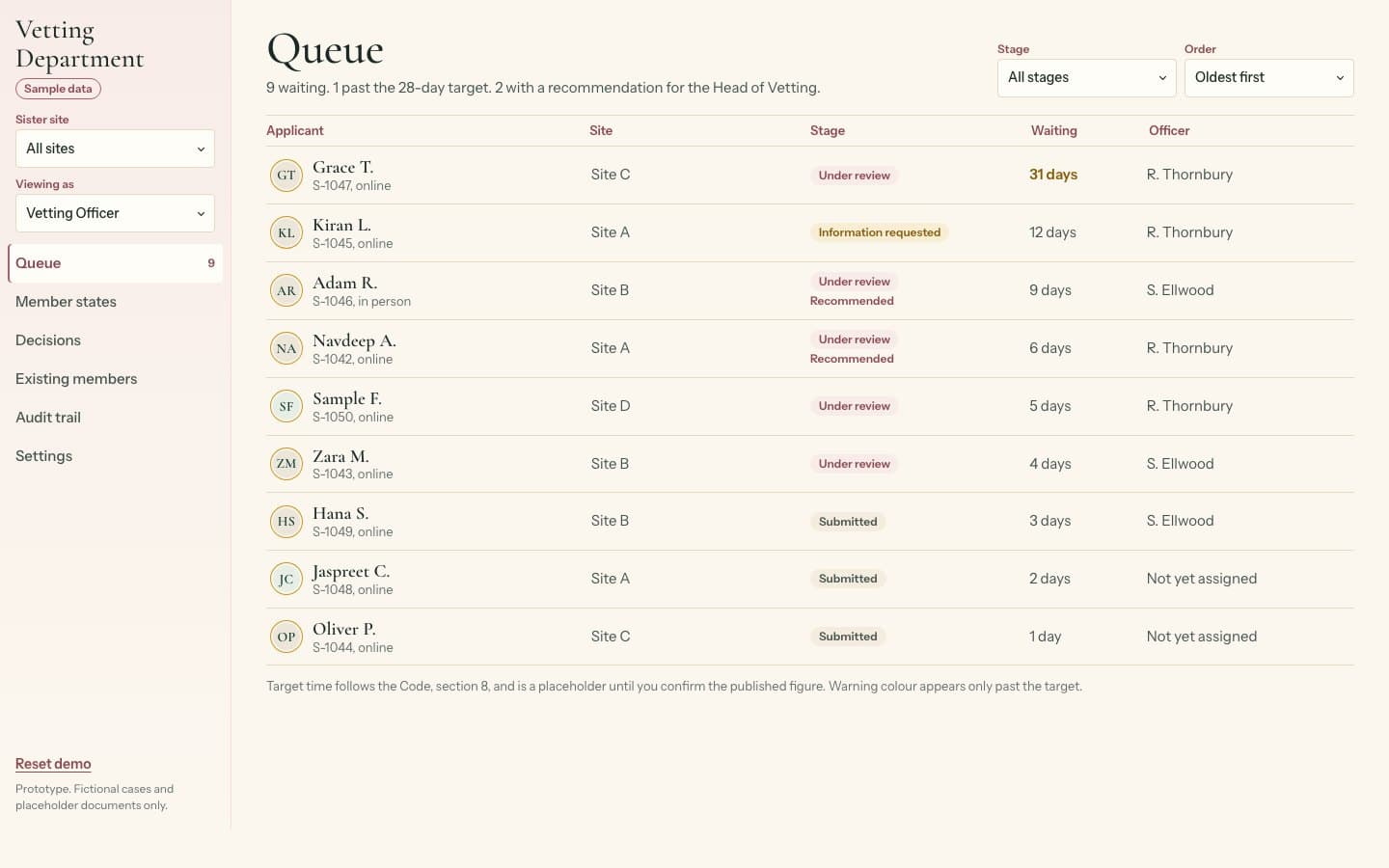
Vetted matchmaking platform, UK
Vetting journey and vetting team portal for a matchmaking platform
We built a vetting portal that stops new members connecting with anyone until approved.We designed how a membership site keeps every new member away from others until a vetting team has approved them, and built the portal the team works from.
See what we built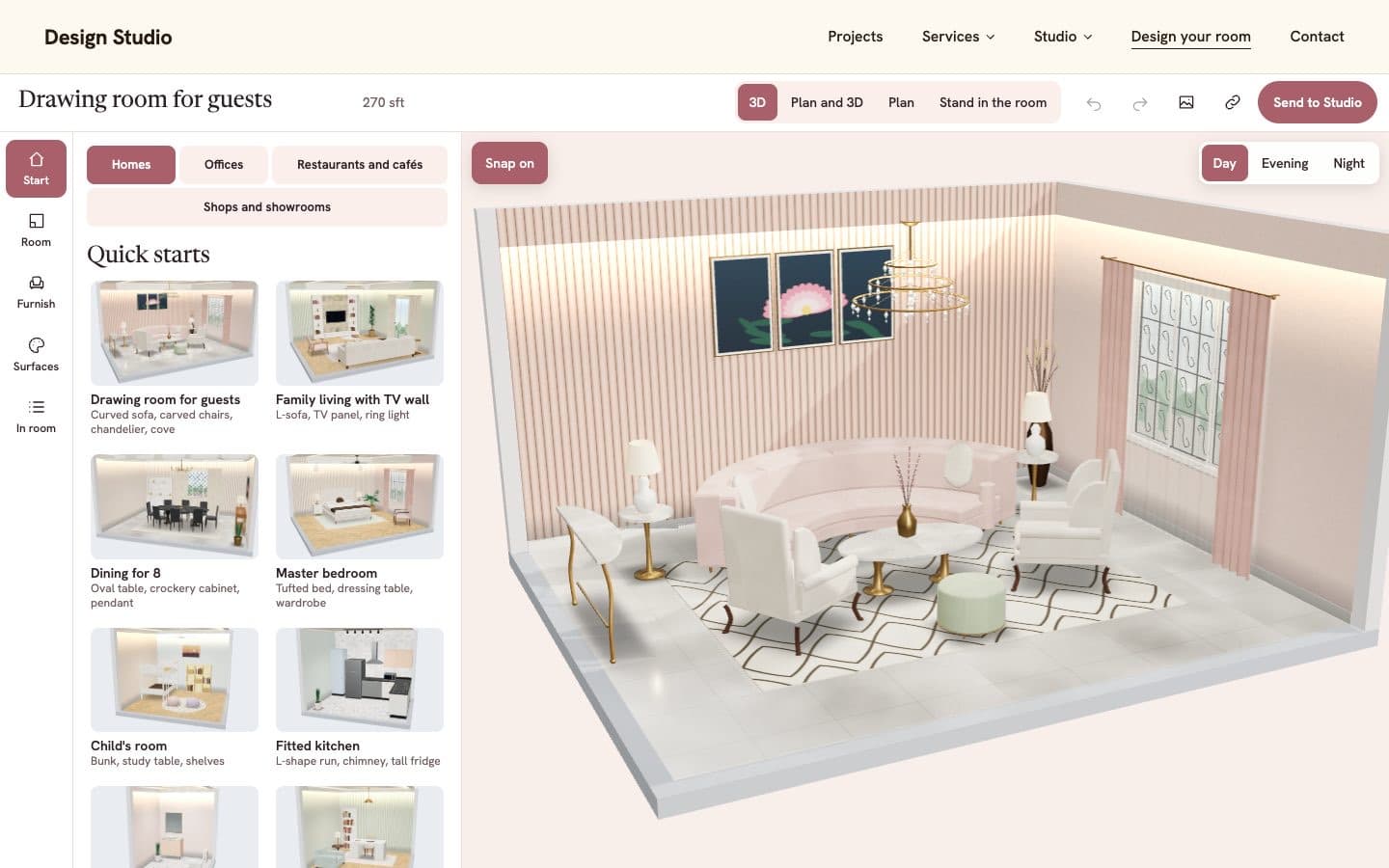 Client details hidden
Interior design studio
3D room designer for an interior design studio
We built a tool for planning a home, office or shop in 3D and sending the design to the studio.We built the tool visitors use to plan a home, office, restaurant or shop in 3D and send their design to the studio.
See what we built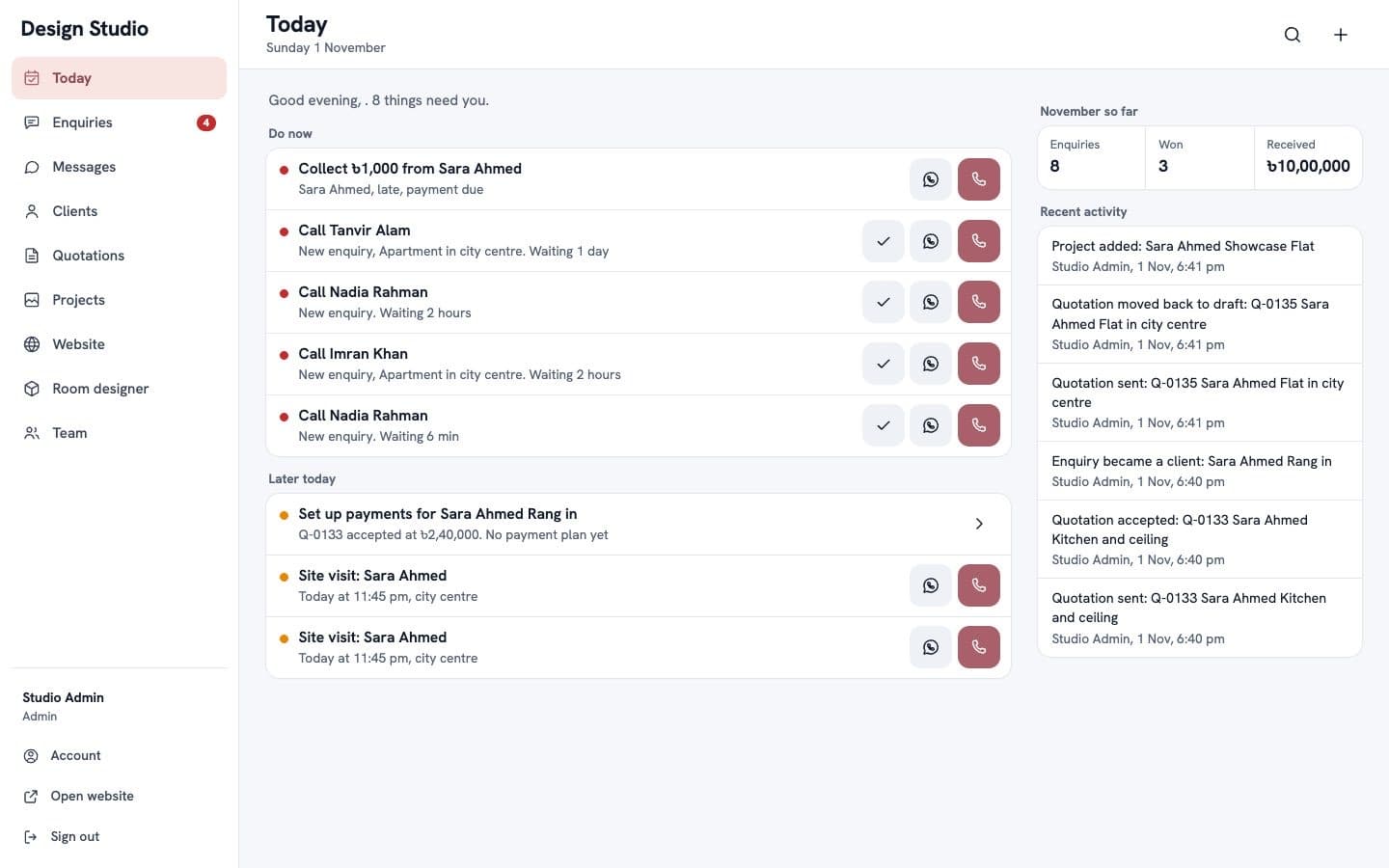 Client details hidden
Interior design studio
Staff and client portal for an interior design studio
We built a portal where the studio follows enquiries, messages clients and prepares quotations.We built the portal where the studio follows enquiries, messages clients, prepares quotations and keeps its website up to date.
See what we built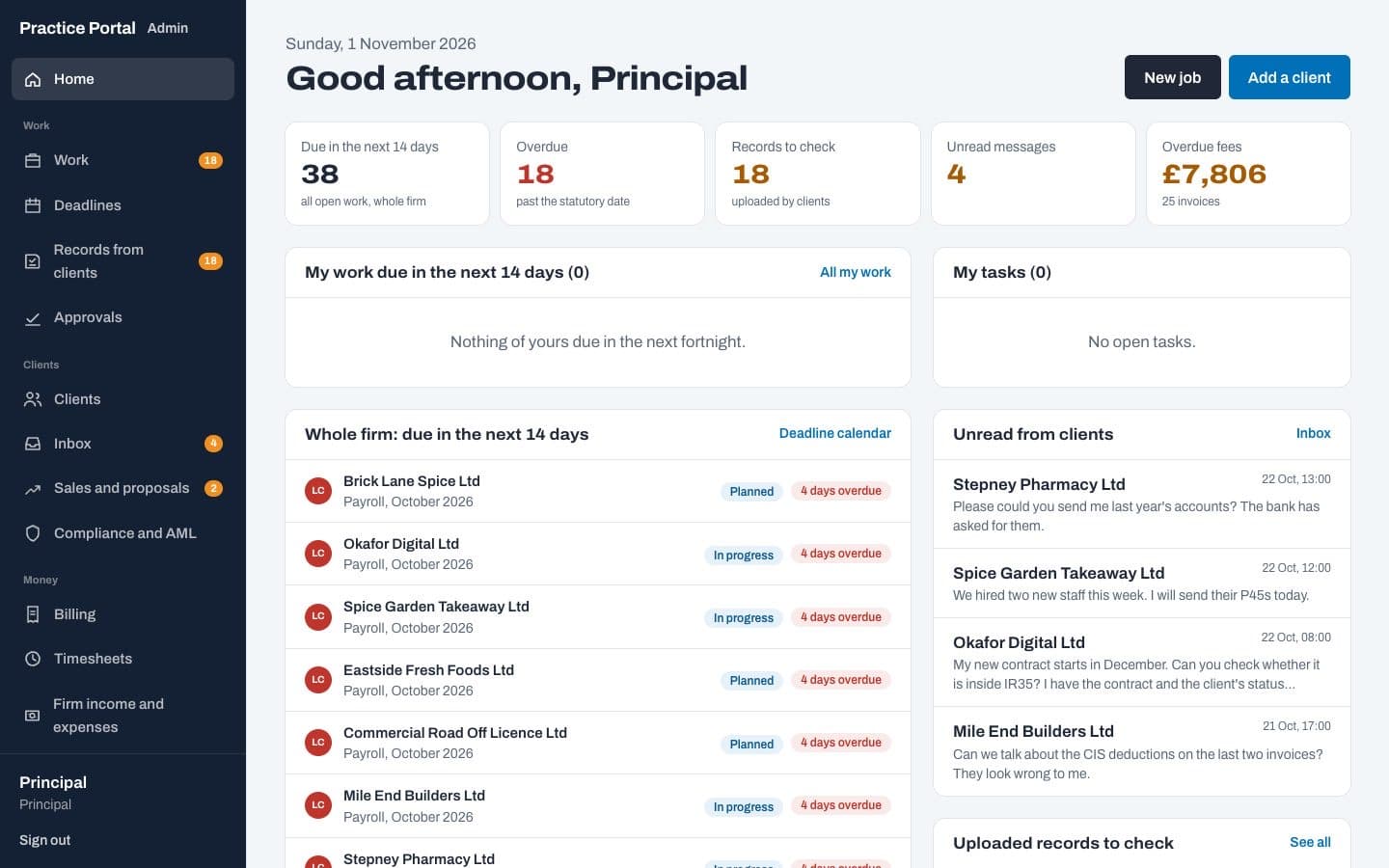 Client details hidden
Accountancy practice, UK
Practice management platform for an accountancy firm
We built a website, a client portal and a back office for jobs, deadlines, time and billing.We built a new website, a client portal and a back office where the team runs jobs, deadlines, time and billing.
See what we builtMore in AI and automation
Tell us what you need built.
Share the problem in a few lines. After one call you'll get a written scope and a fixed quote within 48 hours.