
Websites and apps
Customer and staff portals
Portals replace email chains and spreadsheets with one place to log in, upload documents, track progress and see reports. Each person sees exactly what their role allows.
Overview
One secure place for customers, staff or partners to get things done.
When clients chase updates by email and documents sit in personal inboxes, staff spend hours answering questions a system could answer for them. A portal gives customers, staff and partners one secure place to sign in, check progress, upload files and see figures. Each person sees only what their role allows, which keeps information tidy and private.
The first decision is who sees what, from a client to a branch manager to head office. We then build the pages people check most, usually status and messages, before adding uploads, expiry reminders and the dashboards managers rely on. Users are invited in stages, staff first, so early problems are found by colleagues rather than by your clients.
Handover includes the portal, a written role matrix, an admin guide and training for each role. It works in any phone browser and can be added to the home screen without an app store. Portals of this kind already serve a healthcare platform's operations team, doctors and pharmacies, as well as compliance and finance teams. A care plan keeps yours secure and improving afterwards.
- What you receive
- Portal · Role matrix · Admin guide · Training
- Typical technology
- React · Next.js · Node.js · PostgreSQL
Who it's for
Is this right for you?
If only a handful of people need to share files, a shared drive with clear folders may be enough.
- A firm whose clients email every week asking for an update
- A business with documents spread across inboxes and shared drives
- Managers waiting days for figures that should be on screen
Scope
What goes into it
Every engagement is scoped to your goal. These are the parts most projects include.
- Client and partner portalsStatus updates, documents and messages in one place.
- Staff portalsTasks, approvals and records for every branch.
- DashboardsLive figures, charts and exports.
- Document managementUploads, expiry reminders and secure storage.
- Audit trailWho changed what, and when.
- Installable web appWorks like an app on phones, no store needed.
Timeline
How a typical project runs
Usual length: usually 6 to 14 weeks. Your written scope gives the exact plan.
01Weeks 1–2
Who sees what
We agree each role, from client to branch manager to head office, and what each one can see and do.
02Weeks 2–6
Log-in and status pages
We build sign-in, the progress view clients check most, and secure messages to replace email chains.
03Weeks 6–11
Uploads, reminders and figures
Document uploads with expiry reminders go in, with the dashboards and exports managers need.
04Weeks 11–14
Invite users in waves
We invite staff first, then a few friendly clients, then everyone, with a short guide for each role.
One-time project
A fixed quote for an agreed scope, paid in milestones. You own the code and accounts once it's paid.
Monthly care plan
A monthly subscription that keeps your software secure, monitored and improving, with response times in writing.
Industries we have built this for
Getting started
What happens after you get in touch
- 01Tell us the problemA short form or a call. A senior lead replies within one working day.
- 02One callWe sign an NDA first if you need one, then go through your goals, users and current systems.
- 03Written scope and fixed quoteWithin 48 hours of the call, with milestones and a timeline.
- 04Build in milestonesYou see working software at every milestone, and you own what we build.
Questions
Before you ask
What changes the size of the job
- How many roles and offices need their own view of the data
- Which existing systems the portal must pull figures from
- Whether clients need to upload, sign or pay inside the portal
Can different offices see only their own data?
Yes. Data can be separated by office, company or customer, with head office seeing everything.
Can clients use it on their phones?
Yes. The portal works in any phone browser and can be added to the home screen like an app, with no store download.
Can the portal carry our branding?
Yes. It uses your logo, colours and web address, so clients see your firm when they sign in.
How is this priced?
As a one-time project with a fixed quote, agreed after a short call and paid in milestones. After launch you can add a monthly care plan for hosting, updates and support.
Previous work
Projects where we did this
 Client details hidden
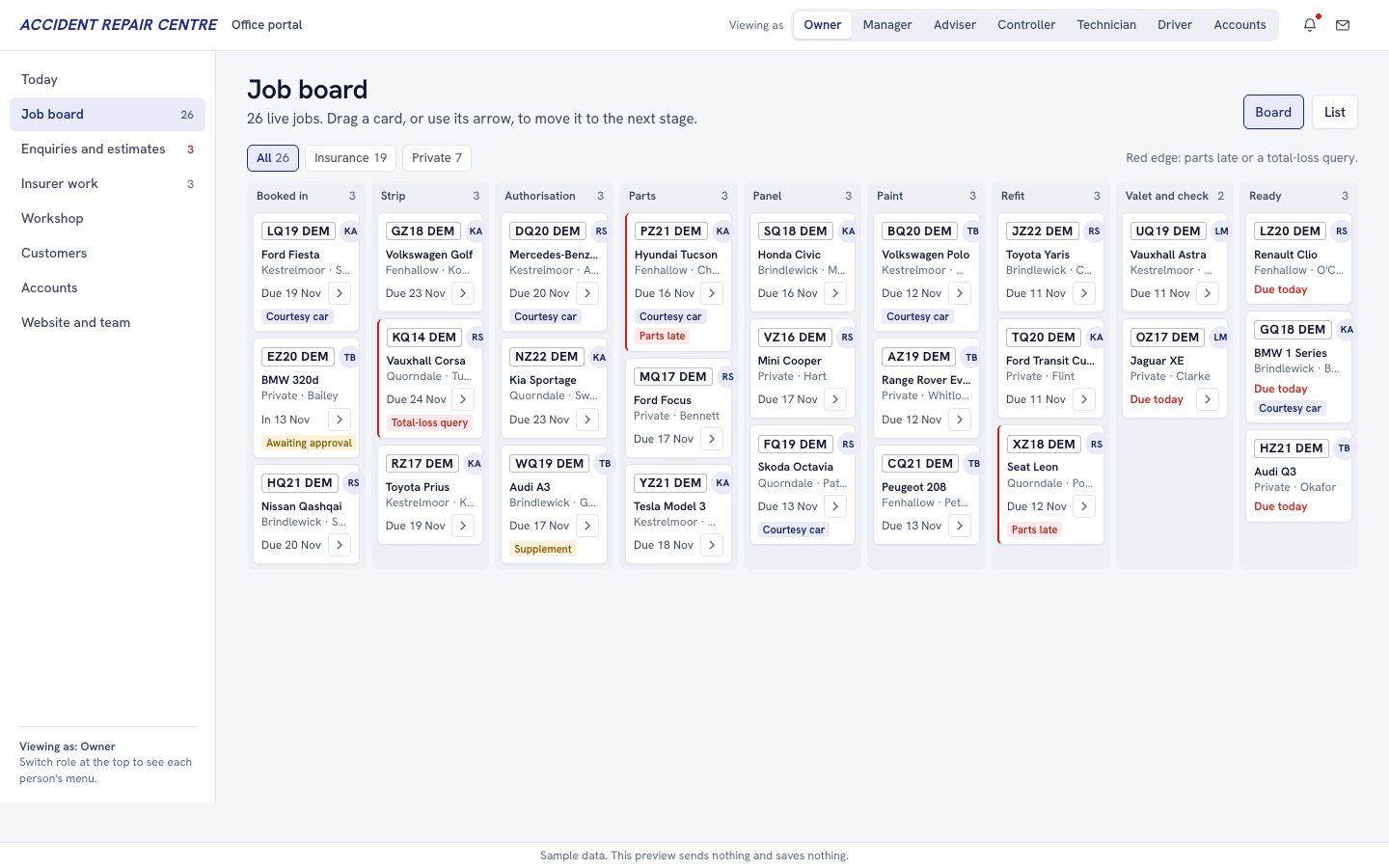
Accident repair centre, UK
Website and portals for an accident repair centre
We built a website with photo estimates, booking and repair tracking, and an office job portal.We built a new website with photo estimates, booking and repair tracking, a light customer portal and an office portal that runs every job from booking in to handover.
See what we built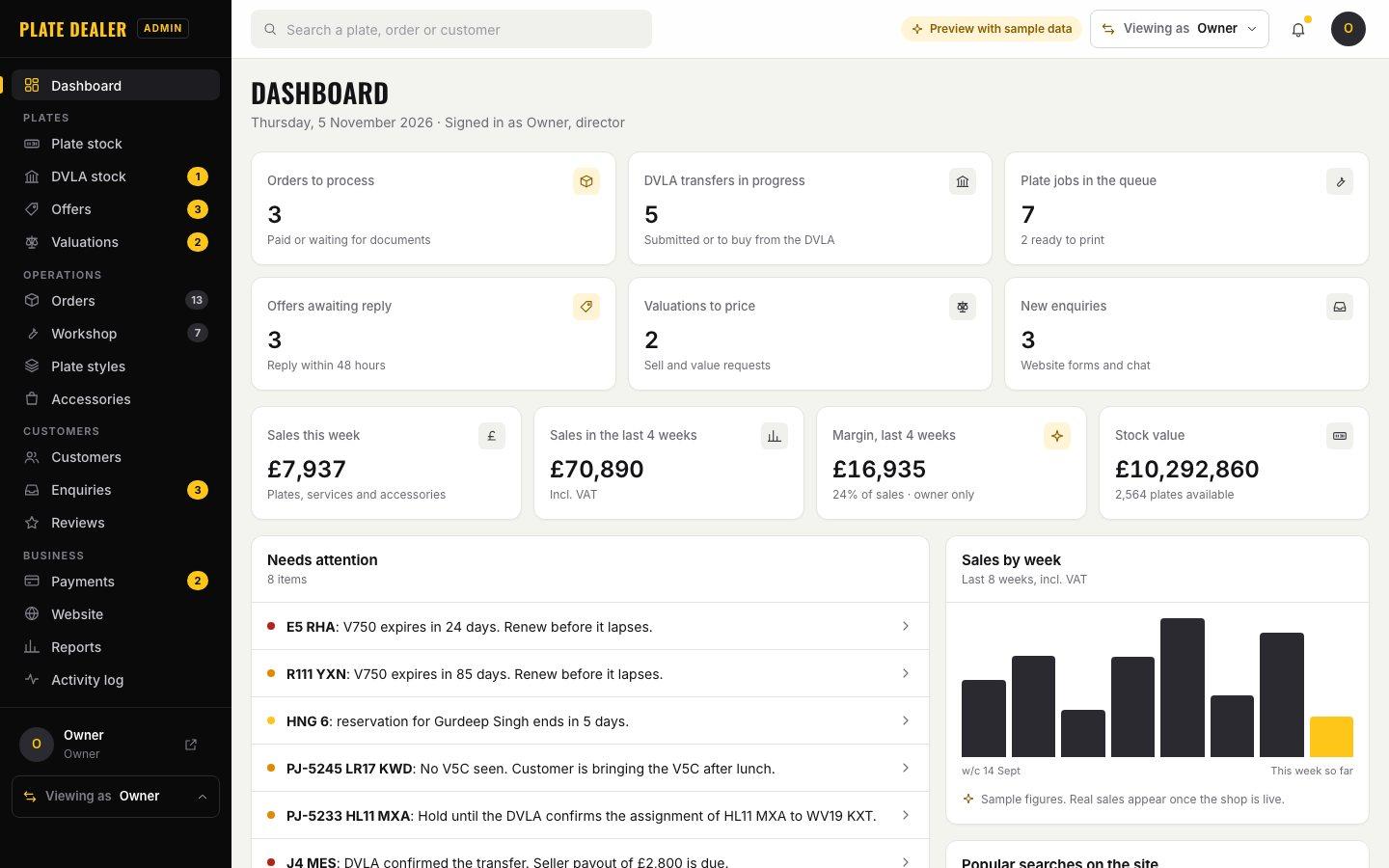 Client details hidden
Private number plate dealer, UK
Website, plate search and portals for a private number plate dealer
We built a plate shop whose search finds every legal plate that spells a name.We built a new shop with a search that finds every legal plate spelling a name, a simple customer account and an office portal for stock, transfers, the plate workshop and valuations.
See what we built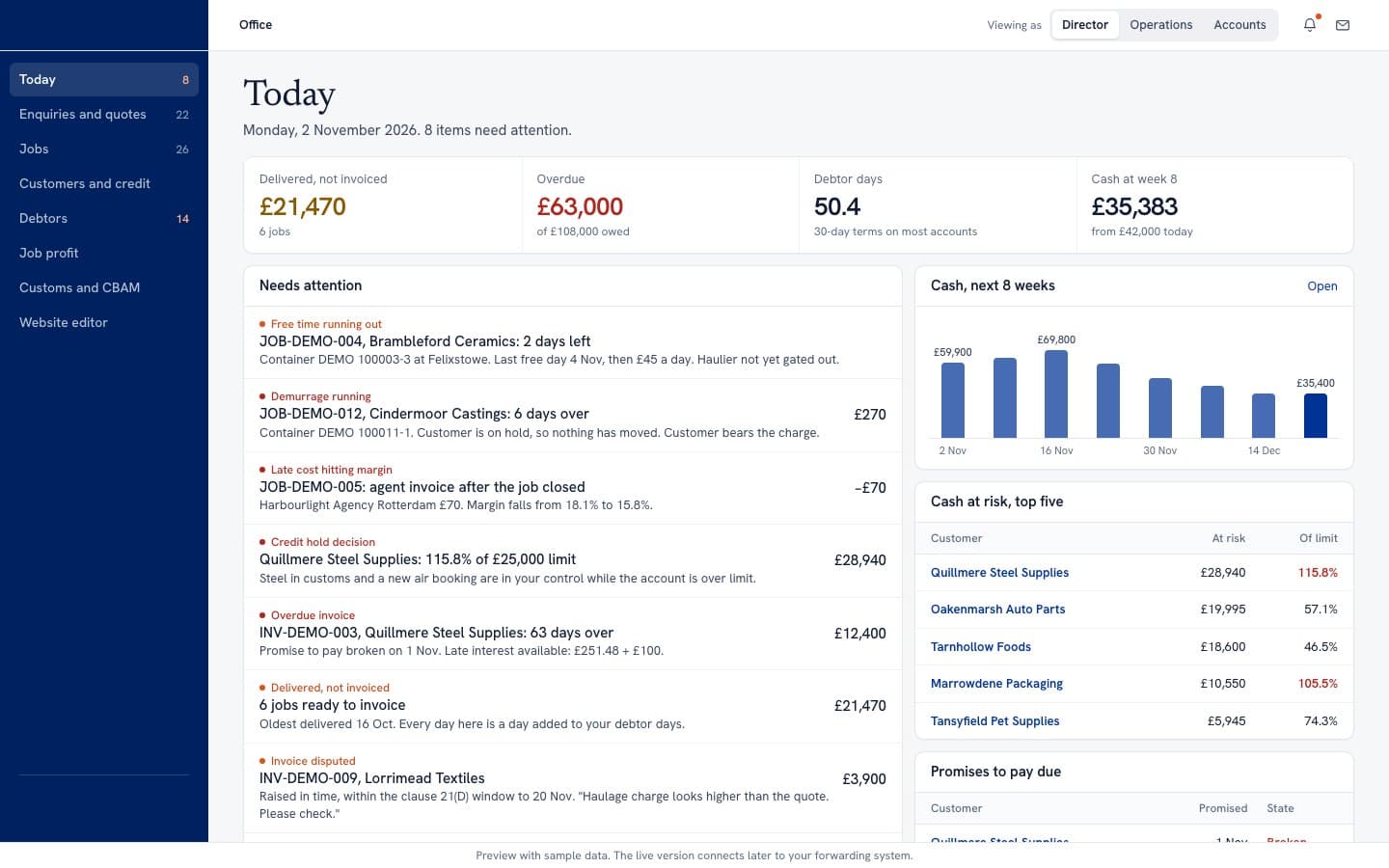 Client details hidden
Freight forwarder, UK
Website and portals for a freight forwarding company
We built a website with freight quotes, a portal for shippers and an office view of every job.We built a new website with quotes and freight calculators, a portal for shippers and an office view of jobs, customs, debtors and profit per job.
See what we built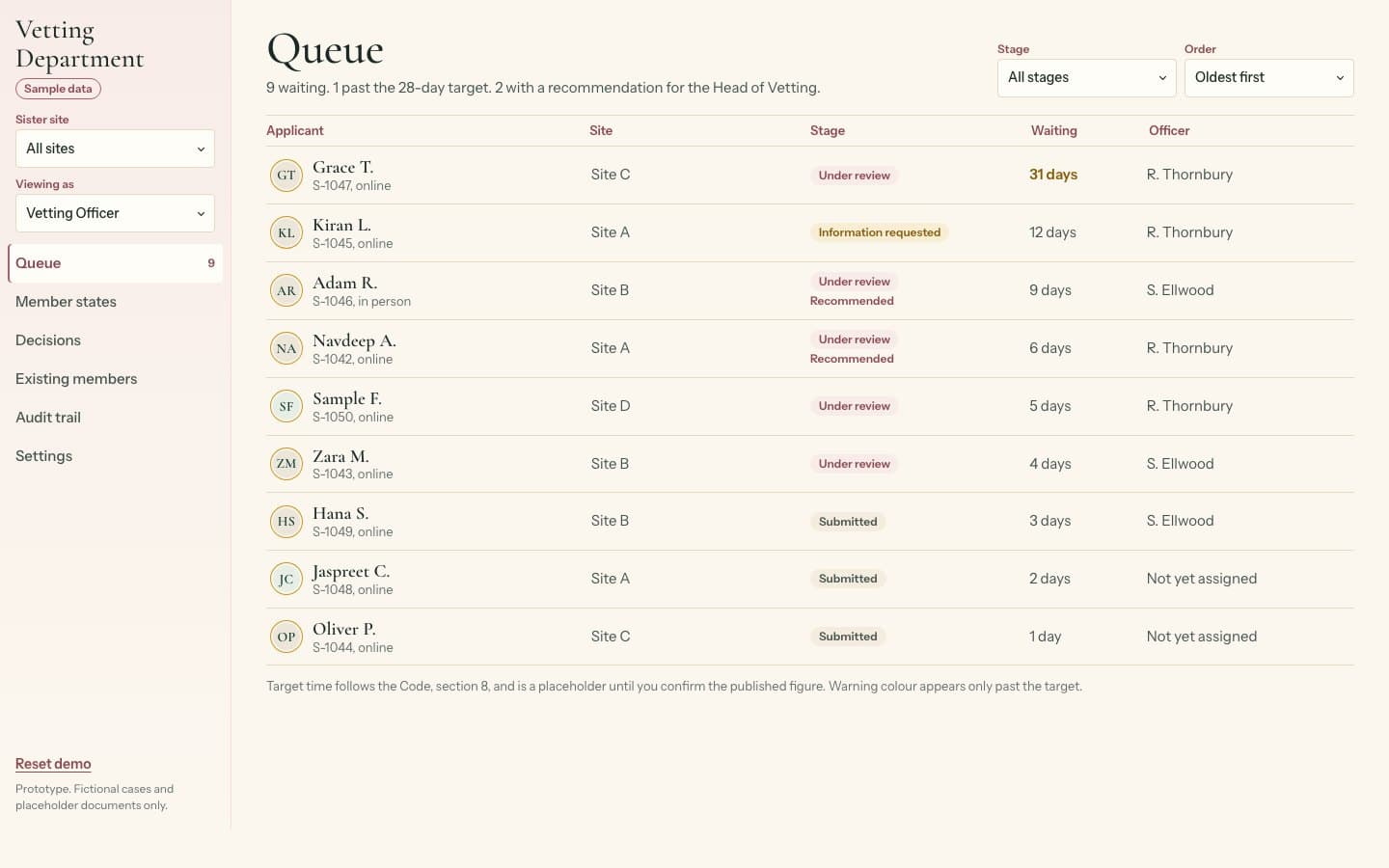 Client details hidden
Vetted matchmaking platform, UK
Vetting journey and vetting team portal for a matchmaking platform
We built a vetting portal that stops new members connecting with anyone until approved.We designed how a membership site keeps every new member away from others until a vetting team has approved them, and built the portal the team works from.
See what we builtTell us what you need built.
Share the problem in a few lines. After one call you'll get a written scope and a fixed quote within 48 hours.